
ALB Target Optimizer - Testing the feature
Dec 13, 2025The ALB Target Optimizer feature launched on 20th Nov 2025 lets you control the number of concurrent requests to your targets. That's a very powerful feature to control the load on your targets so as not to overwhelm them. This can be very useful for some specialized applications, such as Large Language Models, which often can only process 1 to 5 concurrent requests at a time.
Without this feature the ALB keeps distributing the incoming load to the available targets. If the processing time on the application is high this means the targets start piling on more and more concurrent requests and at some point this can overwhelm them and cause the application to go down thus disrupting the service.
Steps to setup this feature:
(Note that you cannot modify exiting target groups. You will need to create a new Target Group to use this feature. Once you create a new Target Group you can move traffic slowly using weighted target groups.)
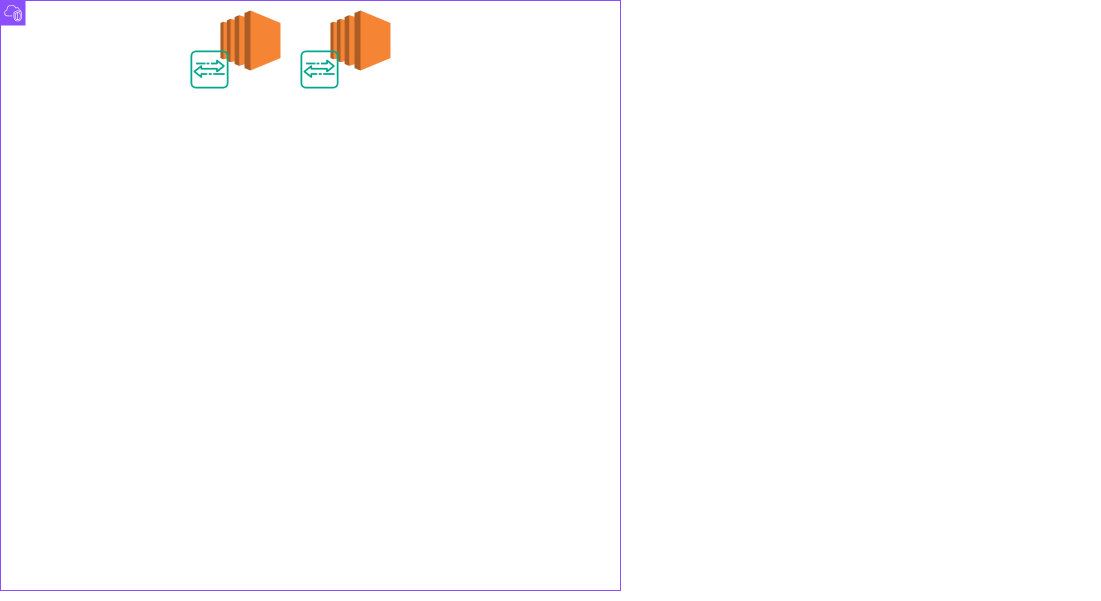
1. You need to install an Agent on all your targets which will act as a proxy between the ALB and your application running on your target. It will count the number of concurrent requests sent to the application and will signal to the ALB to stop sending requests towards the target when the defined concurrency threshold has been reached:
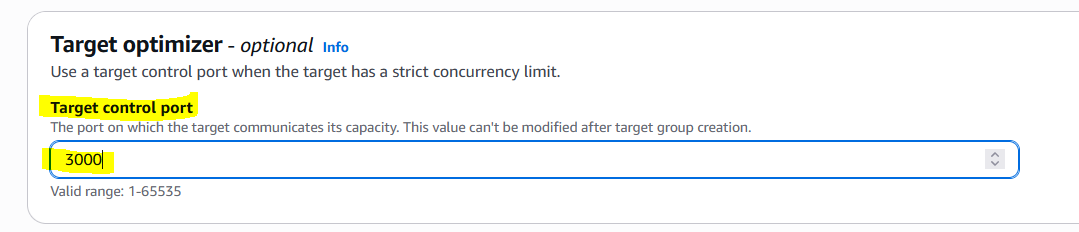
2. Configure your Target Group:
Target control port setting should be set to port 3000
Register your targets on port 80:
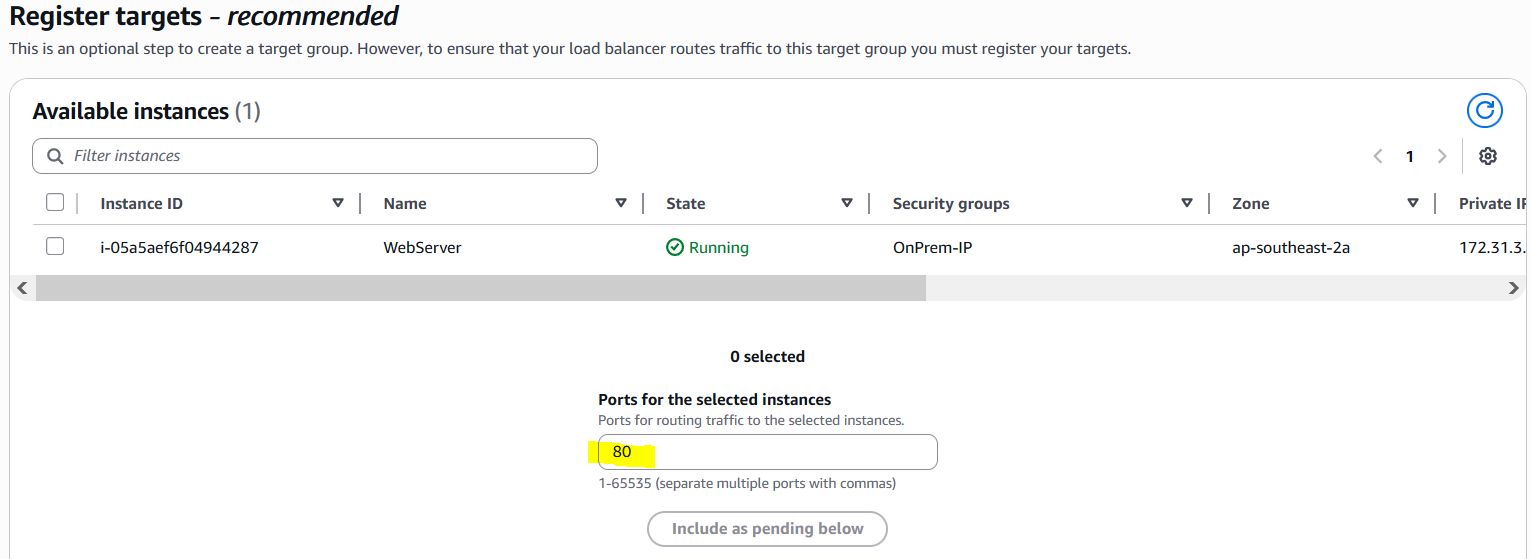
For Health Checks set the port to 80 so that the request goes through the Agent as well. This will ensure to mark the targets unhealthy if the Agent is unhealthy.
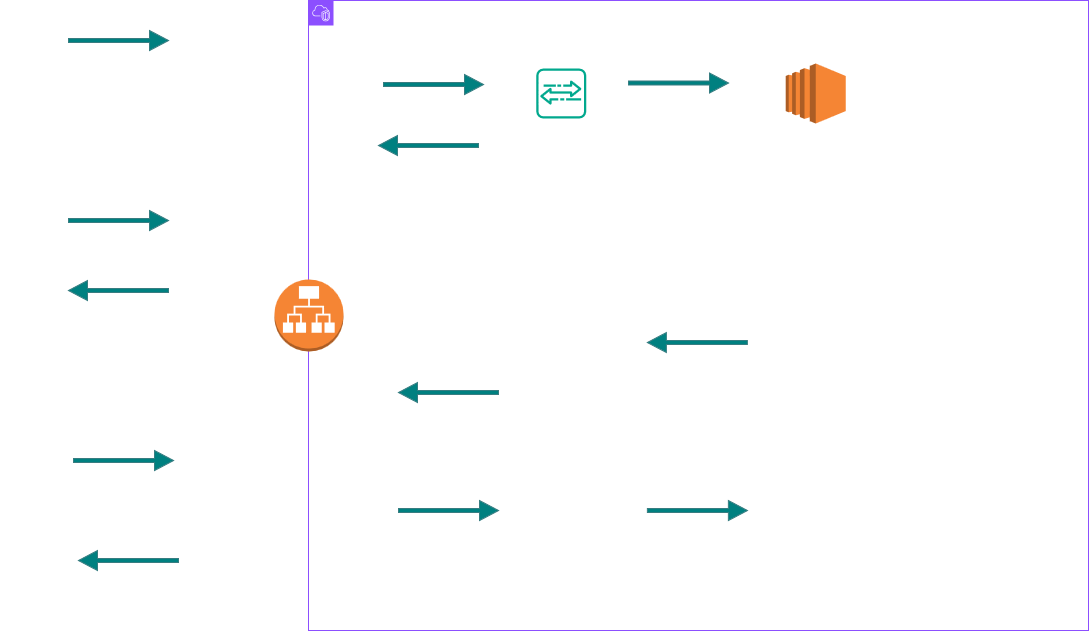
This is how the feature works:
Testing the feature:
The setup:
I have configured 2 targets (Apache with PHP). The path /demo.php has been configured to respond after 1 second delay with a simple sleep statement:
# cat demo.php
<?php
sleep(1);
?>
<h2>Welcome to Server 1</h2>
# curl -s -o /dev/null -w 'connect: %{time_connect}\nappconnect: %{time_appconnect}\npretransfer: %{time_pretransfer}\nstarttransfer: %{time_starttransfer}\ntotal: %{time_total}\n' http://localhost/demo.php
connect: 0.000099
appconnect: 0.000000
pretransfer: 0.000741
starttransfer: 1.001225
total: 1.001297
The Agent concurrency has been set to 10 on both the targets.
Now sending 10 concurrent requests to the ALB i.e each target will get about 5 requests each which is lower than the concurrency limit of 10:

All requests succeed as expected.
Now sending 30 concurrent requests to the ALB i.e each target should now get about 15 requests each which is higher than the concurrency limit of 10:

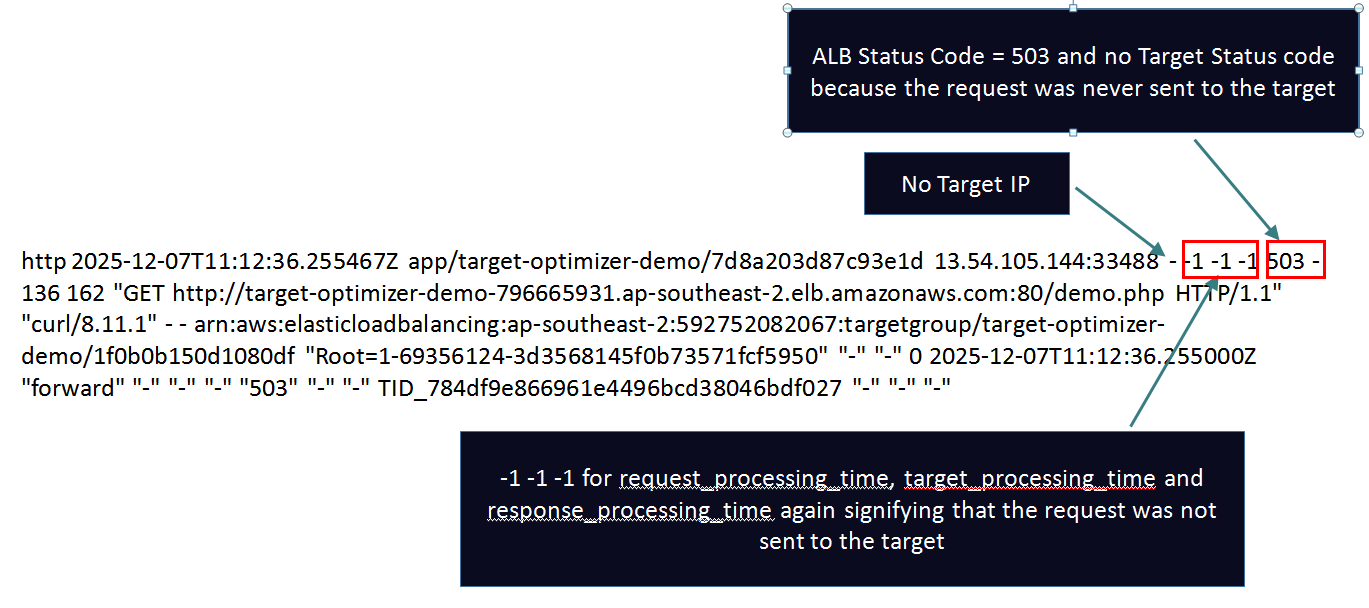
Only 20 requests passed - 10 requests failed with a 503 error - these requests were not sent to the targets since the Agent signaled the ALB to stop sending after 10 concurrent requests were served to each target.
This is how it looks like in the ALB Access Logs:
Now lets see how the agent maintains this concurrency rate for the targets:
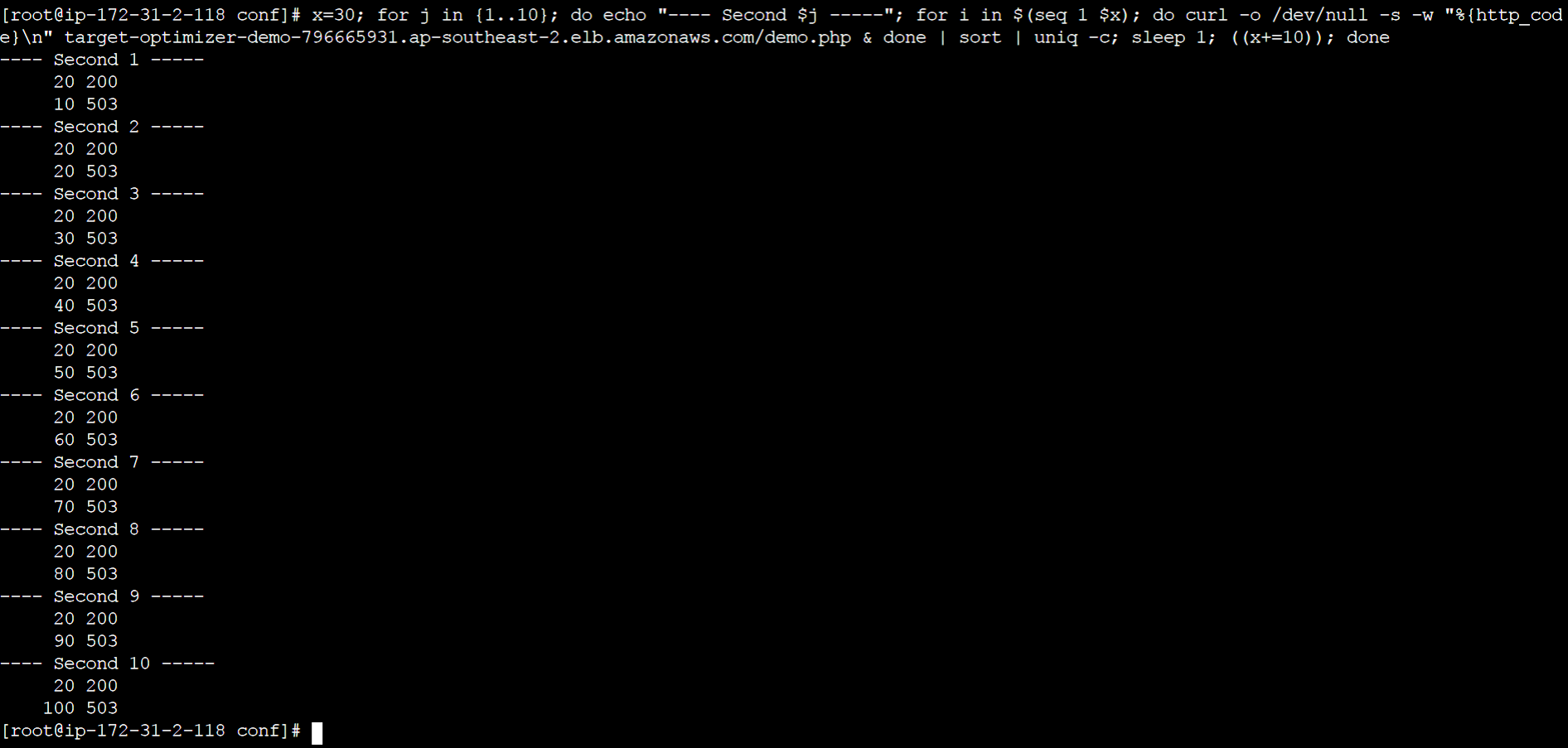
This script will send increasing number of concurrent requests every second to the ALB starting with 30 and incrementing with 10 every second. The script will run for 10 seconds.
You can see that only 20 requests succeed at every second and the number of rejected requests keep incrementing by 10 every second - this clearly shows that the agent is only letting 10 concurrent requests to each of the targets!!
TroubleShooting:
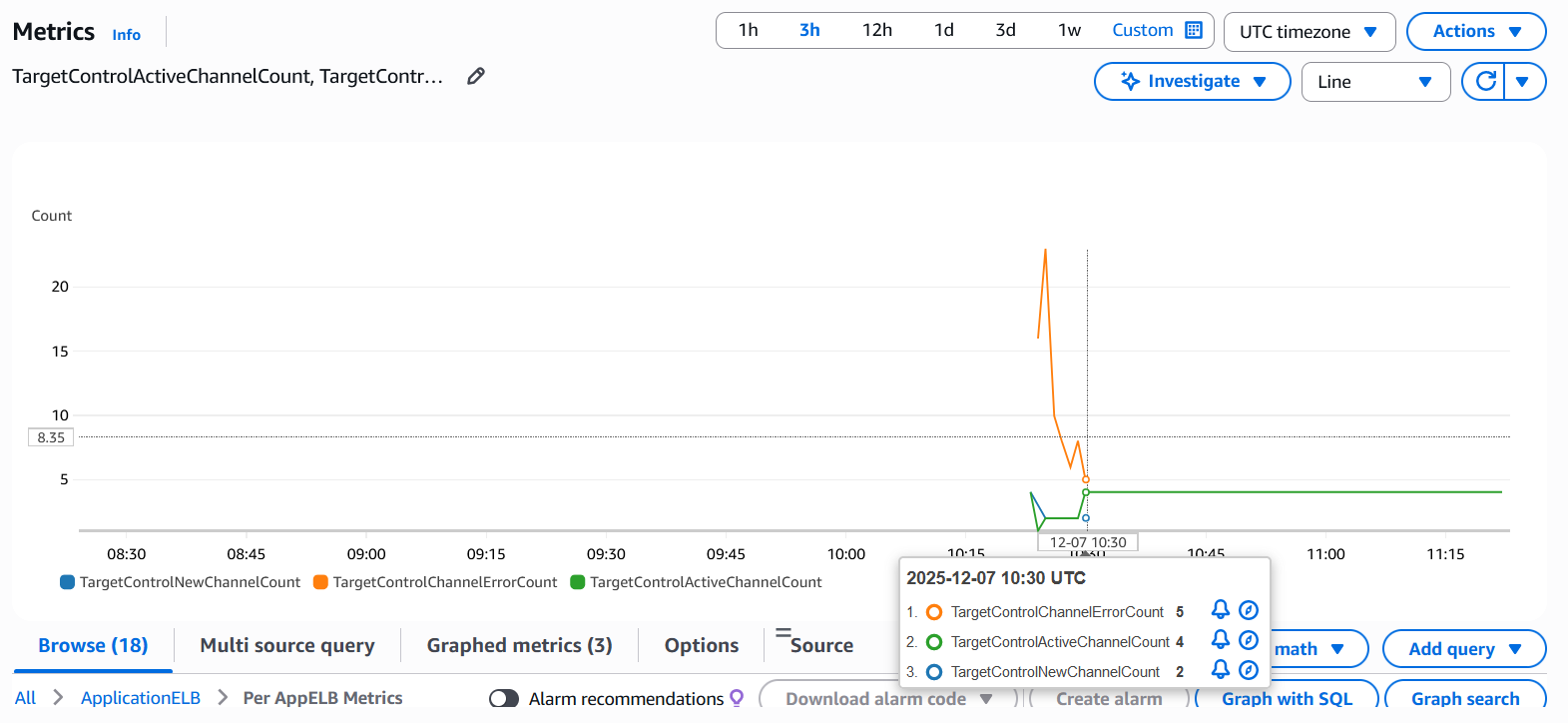
1. Use the below CloudWatch metrics to understand if ALB is facing any issues establishing the control channel with the Agent running on the targets. In the below screenshot those 3 metrics are being plotted at 1 Minute SUM. At 10:25 UTC the TargetControlNewChannelCount shows a datapoint of 2 meaning the ALB established 2 control channels and then again at 10:30 UTC 2 data points which means a total of 4 Control channels (2 ALB nodes and 2 targets - full mesh). From 10:30 onwards there are no more errors (orange line) and TargetControlActiveChannelCount shows 4 consistently which is good.
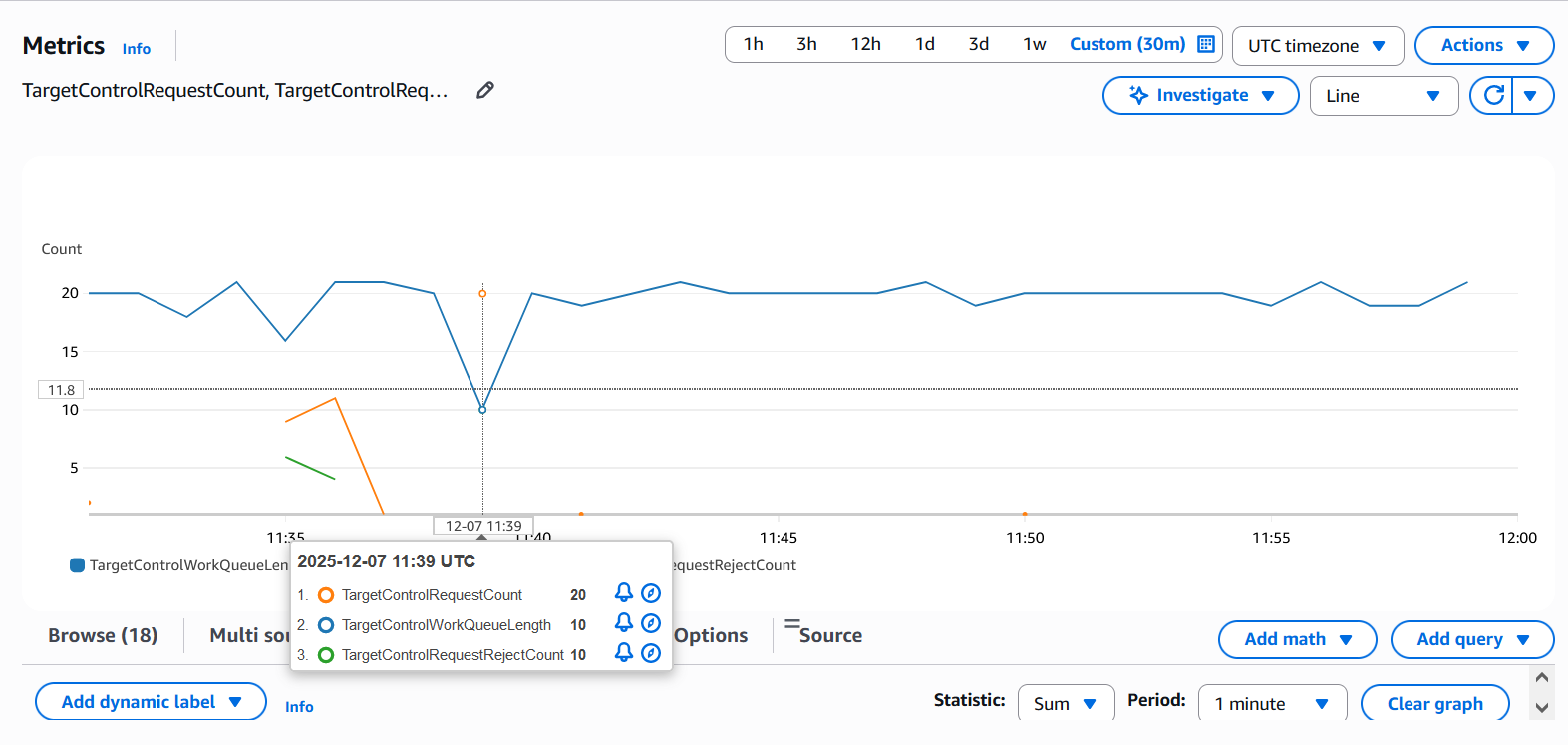
2. Use the below key metrics: TargetControlRequestCount and TargetControlRequestRejectCount (1 Minute SUM) to understand how many requests ALB sent to Agents vs how many it rejected and how the Agents were signalling to the ALB. At 11:39 I sent 30 requests out of which 20 were sent to the Agents while 10 were rejected since concurrency has been set to 10 and I have 2 targets. TargetControlWorkQueueLength reduced to 10 showing that the Agents tried to signal the ALB to stop sending.
Some additional points to keep in mind:
- Lambda as targets are not supported.
- Only supported load balancing algorithm type is Round Robin.
- If your application is running on ECS or EKS, you can run the agent as a sidecar with your application container
- There are other supported Variables as well: TARGET_CONTROL_TLS_CERT_PATH, TARGET_CONTROL_TLS_KEY_PATH, TARGET_CONTROL_TLS_SECURITY_POLICY, TARGET_CONTROL_PROTOCOL_VERSION, RUST_LOG.
- The Agent uses negligible resources that should not affect the target’s health or performance.
In summary this feature builds a concurrency control feature right at the ALB level so that you can control how many concurrent requests you want the ALB to send to your targets. This will be useful for those applications where you want a control on how many concurrent requests should be sent to protect the the targets from getting overwhelmed.